Control Flow in JavaScript: If, Else, and Switch Explained
Software Engineer | Passionate about Web Development, DSA & Problem Solving. I write simple, practical tech blogs to help developers learn and grow. Exploring JavaScript, C++, Backend & Modern Web Technologies.
In real life, we make decisions every day.
If it is raining, take an umbrella
If marks are good, celebrate
Else, study more
Programming works in the same way.
This decision-making logic is called control flow.
In this blog, we will understand control flow in JavaScript using simple examples and clear explanations.
What Does Control Flow Mean in Programming?
Control flow means deciding which part of the code will run based on conditions.
JavaScript reads code from top to bottom, but control flow allows it to:
Skip some lines
Choose between multiple paths
Run different code for different situations
Real-Life Example of Control Flow
Imagine this rule:
If your age is 18 or above, you can vote. Otherwise, you cannot.
This exact logic is written in programming using if and else.
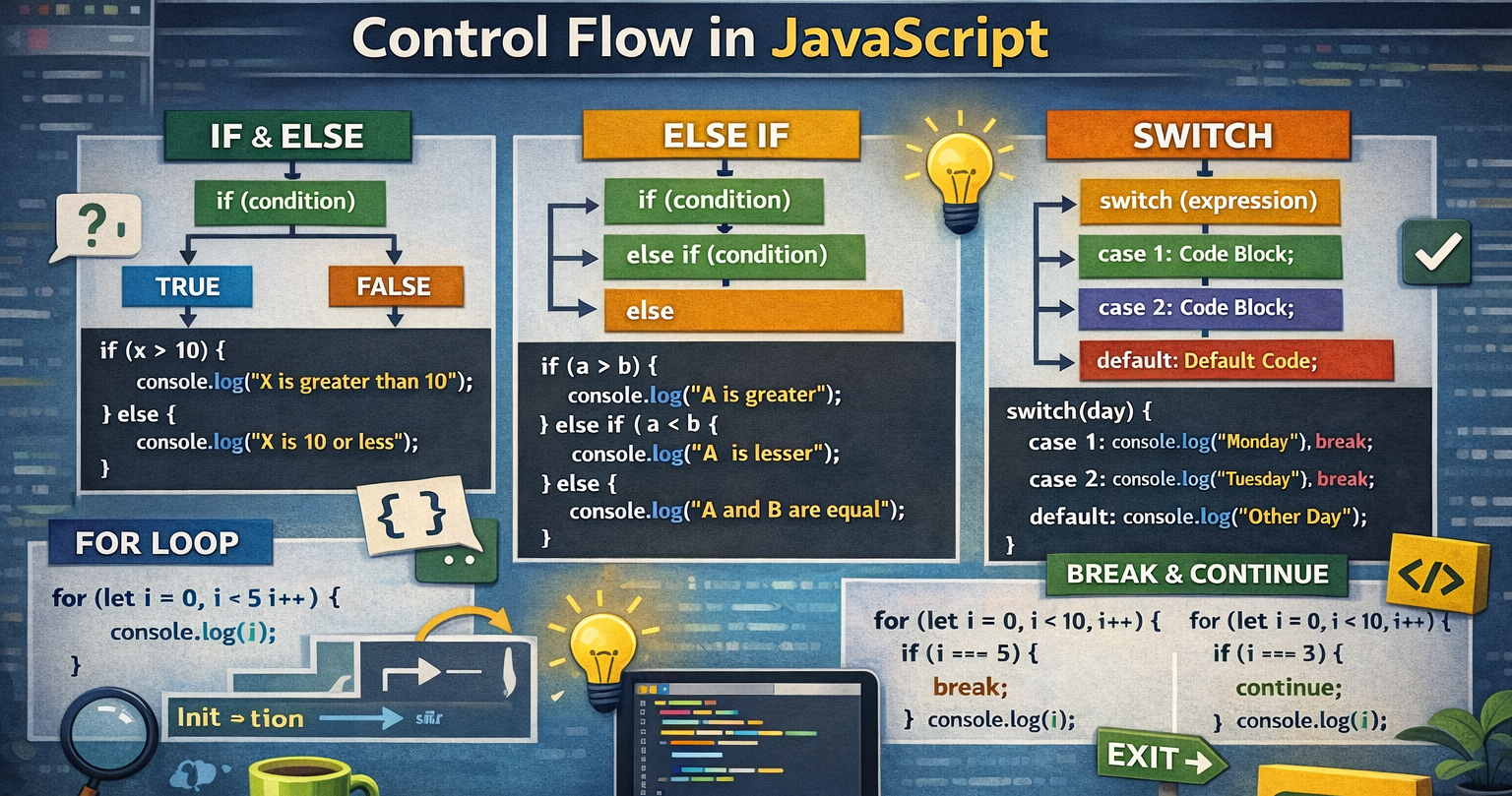
The if Statement
The if statement runs code only when the condition is true.
Syntax
if (condition) {
  // code runs if condition is true
}
Example: Age Check
let userAge = 20;

if (userAge >= 18) {
  console.log("You are eligible to vote");
}
How code runs
JavaScript checks userAge >=18.
Condition is true
Message is printed
The if-else Statement
Use if-else when you want two possible outcomes.
Example: Exam Result
let marks = 45;

if (marks >= 40) {
  console.log("You passed the exam");
} else {
  console.log("You failed the exam");
}
Step by step
Condition checked: marks>=40
If true → pass message
If false → fail message
The else if Ladder
Use else if when you have multiple conditions.
Example: Grade System
let score = 72;

if (score >= 90) {
  console.log("Grade A");
} else if (score >= 75) {
  console.log("Grade B");
} else if (score >= 60) {
  console.log("Grade C");
} else {
  console.log("Fail");
}
How it works
Conditions are checked from top to bottom
As soon as one condition is true, the rest are skipped
The switch Statement
switch is used when you compare one value with many fixed options.
Example: Day of the Week
let dayNumber = 3;

switch (dayNumber) {
  case 1:
    console.log("Monday");
    break;
  case 2:
    console.log("Tuesday");
    break;
  case 3:
    console.log("Wednesday");
    break;
  case 4:
    console.log("Thursday");
    break;
  default:
    console.log("Invalid day");
}
Why break Is Important in Switch
break stops the execution after a match is found.
Without break, JavaScript will continue running the next cases.
Simple Explanation
matched
Code runs
break stops further checking
Always use break unless you intentionally want fall-through.
When to Use if-else vs switch
Use if-else when:
Conditions involve ranges (>,<,>=)
Logical checks are complex
You are comparing different variables
Use switch when:
One value is compared with many fixed options
Code looks cleaner than multiple else if
Values are exact matches
Avoid This at the Beginning
Deep nested if statements
Mixing switch and if unnecessarily
Complex conditions in one line
Keep your logic simple and readable.


