What is Node.js? JavaScript on the Server Explained
Software Engineer | Passionate about Web Development, DSA & Problem Solving. I write simple, practical tech blogs to help developers learn and grow. Exploring JavaScript, C++, Backend & Modern Web Technologies.
Introduction
For many years, JavaScript was known as a browser-only language, used primarily to make web pages interactive—handling clicks, animations, and form validations.
However, modern applications require much more:
Handling databases
Managing servers
Processing API requests
This is where Node.js comes in.
Node.js allows developers to run JavaScript outside the browser, especially on servers, making it possible to build full-stack applications using a single language.
1. What Node.js Is
Node.js is a JavaScript runtime environment that allows JavaScript code to run on the server.
It is important to understand:
Node.js is not a programming language—it is a runtime environment.
Simple Example:
// Node.js file (app.js)
console.log("Hello from Node.js");
Run using:
node app.js
Explanation:
This code runs outside the browser
Node.js provides the environment to execute it
No HTML or browser required
2. Why JavaScript Was Originally Browser-Only
JavaScript was created to run inside web browsers for client-side tasks.
Browser Responsibilities:
Handle UI (buttons, forms)
Manipulate HTML (DOM)
Respond to user actions
Example (Browser JS):
document.getElementById("btn").addEventListener("click", () => {
    alert("Clicked!");
});
Explanation:
Uses
document(DOM API)Works only in browsers
Cannot access server resources like files or databases
Limitation:
No direct access to system resources
No server-side capabilities
This is why backend languages like PHP, Java, and Python were used.
3. How Node.js Made JavaScript Run on Servers
Node.js changed everything by providing:
File system access
Network capabilities
Server creation features
Example (Simple Server):
const http = require("http");

const server = http.createServer((req, res) => {
    res.end("Hello from server");
});

server.listen(3000);
Explanation:
httpmodule is provided by Node.jsServer listens on port 3000
Handles incoming requests
Now JavaScript can:
Build APIs
Handle requests
Work as backend

4. JavaScript Runtime vs Programming Language
This is a very important concept.
JavaScript (Language)
Syntax and rules
Variables, functions, loops
Runtime (Node.js or Browser)
Provides environment to run code
Gives APIs (like
fs,http,setTimeout)
Analogy:
JavaScript = Engine (car design)
Node.js = Road + Fuel + Environment
Without runtime, code cannot execute.
5. V8 Engine Overview (High-Level)
Node.js uses the V8 JavaScript engine, developed by Google.
What V8 Does:
Converts JavaScript into machine code
Executes it efficiently
Key Points:
Written in C++
Used in Google Chrome
Fast execution
Simple Flow:
JavaScript Code → V8 Engine → Machine Code → Execution
6. Event-Driven Architecture
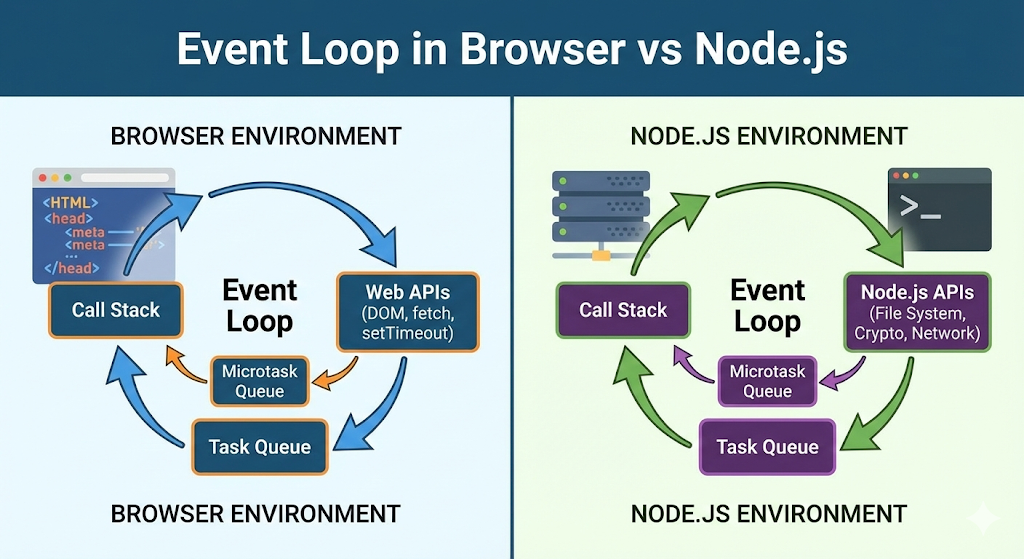
Node.js follows an event-driven, non-blocking architecture.
Concept:
Instead of waiting for tasks, Node.js:
Registers events
Executes them when ready
Example:
const fs = require("fs");

fs.readFile("file.txt", "utf8", (err, data) => {
    console.log(data);
});

console.log("Reading file...");
Explanation:
File reading is asynchronous
"Reading file..."prints immediatelyFile content prints later
Output:
Reading file...
(file content)
Why This Matters:
Handles multiple requests efficiently
No blocking
High performance
7. Node.js vs Traditional Backend (PHP / Java)
Traditional Backend (PHP / Java):
Blocking execution
Thread per request
More resource-heavy
Node.js:
Non-blocking
Single-threaded event loop
Handles many requests efficiently
Comparison:
| Feature | Node.js | PHP/Java |
|---|---|---|
| Execution | Non-blocking | Blocking |
| Performance | High for I/O | Moderate |
| Scalability | High | Medium |
| Threads | Single | Multiple |
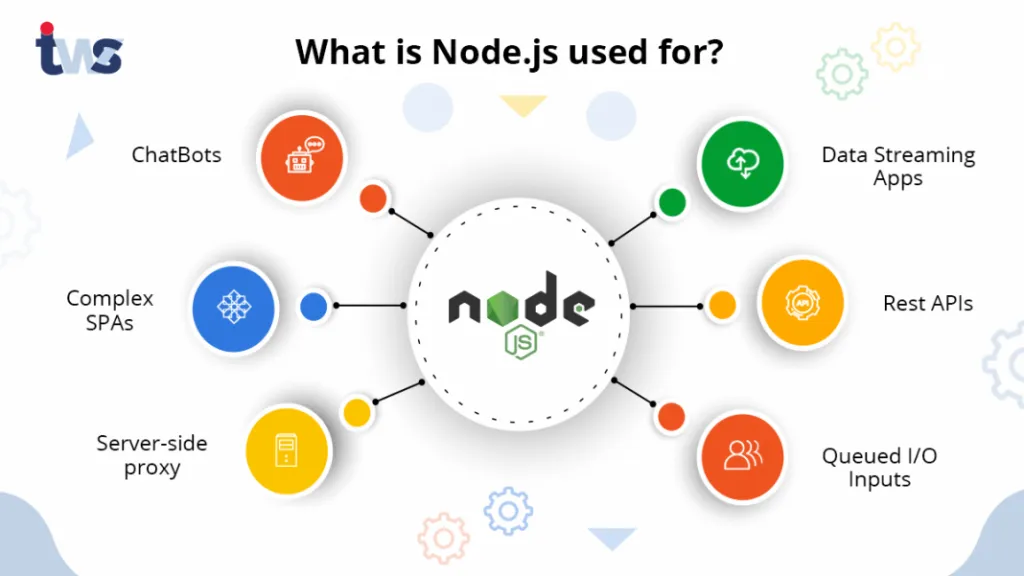
8. Real-World Use Cases of Node.js
Node.js is widely used in modern applications.
1. Web Servers & APIs
REST APIs
Backend services
2. Real-Time Applications
Chat apps
Live notifications
Gaming
3. Streaming Applications
Video streaming
Audio streaming
4. Microservices
- Scalable backend systems
5. Tools & CLI Applications
Build tools
Automation scripts
Example:
console.log("Node.js powers backend services");
9. Why Developers Adopted Node.js
Node.js became popular because it solves real problems.
Key Reasons:
1.Single Language (Full Stack)
Frontend + Backend in JavaScript
2.High Performance
Non-blocking architecture
3.Huge Ecosystem
npm (Node Package Manager)
4.Real-Time Capability
Ideal for chat apps and live systems
5.Scalability
Handles large traffic efficiently
Conclusion
Node.js transformed JavaScript from a browser-only language into a powerful server-side technology.
By providing:
A runtime environment
Access to system resources
Event-driven architecture
Node.js enables developers to build fast, scalable, and modern applications.


