Understanding Variables and Data Types in JavaScript

Software Engineer | Passionate about Web Development, DSA & Problem Solving. I write simple, practical tech blogs to help developers learn and grow. Exploring JavaScript, C++, Backend & Modern Web Technologies.
When you start programming, the first thing you learn is how to store information.
In JavaScript, this is done using variables.
In this blog, we will understand:
What variables are
Why we need them
How to create variables using var, let, and const
Basic data types
A very simple idea of scope
What Are Variables?
A variable is like a box that stores some information.
You give the box a name, and inside it you keep a value.
Real-life analogy
Box name: studentName
Value inside the box: "Rohit"
Example in JavaScript
let studentName = "Rohit";
Here:
studentName is the variable name
"Rohit" is the value stored inside it
Why Do We Need Variables?
Variables help us to:
Store data
Reuse values
Change values when needed
Write clean and readable code
Without variables, programming would be very difficult.
Declaring Variables in JavaScript
JavaScript provides three keywords to declare variables:
var
let
const
Using var
var is the old way of creating variables.
Example
var cityName = "Delhi";
console.log(cityName);
You can change its value:
var cityName = "Mumbai";
console.log(cityName);
Using let
let is the modern and recommended way to create variables.
Example
let courseName = "JavaScript";
console.log(courseName);
You can change the value:
courseName = "React";
console.log(courseName);
let is safer and more predictable than var
Using const
const is used when the value should not change.
Example
const collegeName = "Quantum University";
console.log(collegeName);
If you try to change it:
collegeName = "Another College";
This will cause an error, because const values cannot be reassigned.
Primitive Data Types in JavaScript
A data type tells JavaScript what kind of value is stored in a variable.
Let’s look at the most common primitive data types.
1. String
Strings are text values written inside quotes.
let teacherName = "Anjali";
Used for names, messages, titles, etc.
2. Number
Numbers are used for numeric values.
let studentAge = 21;
let totalMarks = 85;
No quotes are used for numbers.
3. Boolean
Boolean has only two values: true or false.
let isLoggedIn = true;
let hasPaidFees = false;
Used for yes/no type conditions.
4. Null
Null means no value assigned intentionally.
let projectResult = null;
It means the value is empty on purpose.
5. Undefined
undefined means a variable is declared but no value is given.
let examCenter;
console.log(examCenter);
JavaScript automatically assigns undefined.
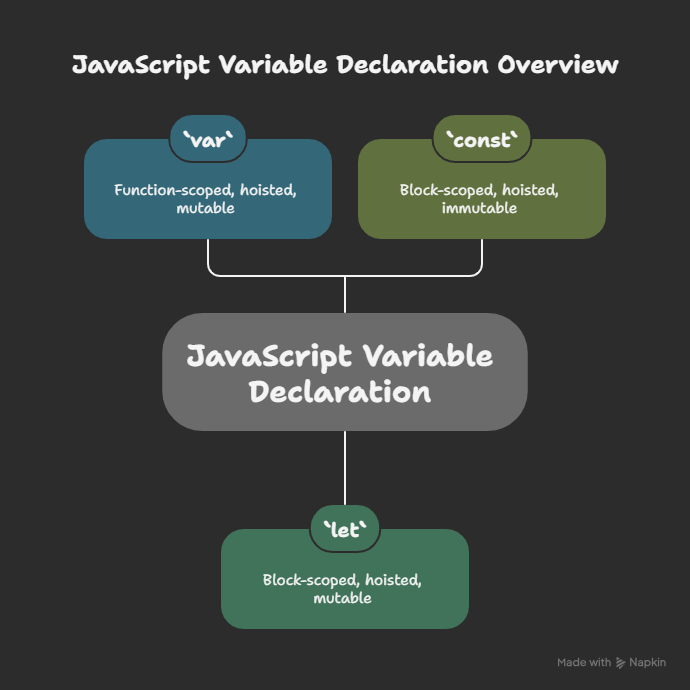
Difference Between var, let, and const (Basic)
| Feature | var | let | const |
|---|---|---|---|
| Can redeclare | Yes | No | No |
| Can reassign | Yes | Yes | No |
| Modern usage | No | Yes | Yes |
| Block scoped | No | Yes | Yes |
What Is Scope?
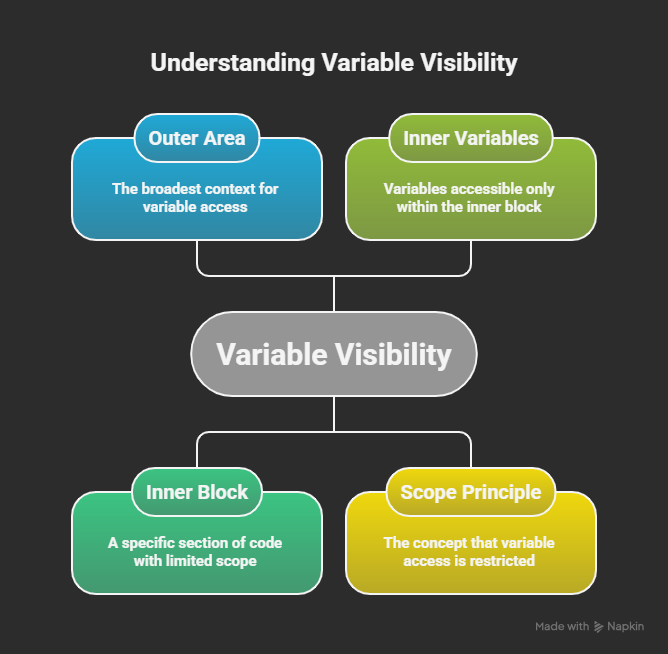
Scope means where a variable can be used.
Think of scope like a room:
If a variable is created inside a room, it stays inside that room.
Outside the room, it is not accessible.
Simple Example
{
  let message = "Hello";
  console.log(message);
}
Here, message exists only inside the block.
Trying to access it outside will cause an error.
Changing Values: let vs const
Using let (allowed)
let score = 50;
score = 70;
console.log(score);
Using const (not allowed)
const maxScore = 100;
maxScore = 120;
This will throw an error.
Conclusion
Variables help us store and manage data in JavaScript.
By using let, const, and understanding basic data types, we can write clear and meaningful code.
As a beginner, focus on:
Using let for values that change
Using const for fixed values
Understanding what type of data you are storing


